You require admin/moderator access to create groups
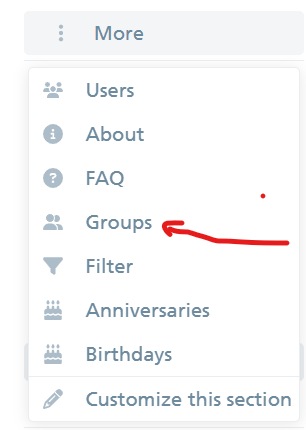
You can find groups in the left side of your dashboard by clicking more
Click the new group button and enter a unique group name.

Adjust group properties such as:
-
-
Visibility (who can see or mention the group)
-
Membership (open to anyone, request-based, or admin-only)
-
Owners (add users who can help manage membership)
-
Automatic Membership (e.g., based on email domain or custom fields)
-
-
Set Permissions:
Groups can be granted specific permissions to access or moderate categories. Visit each category’s settings and specify which groups can see, reply, or create topics. -
Invite/Add Members:
Add users manually, invite by email, or set up group automation (e.g., auto-adding based on sign-up field or domain). -
Save your settings. Your group is now live!